How does the ‘Cross-chain crypto swap’ work?
The 'Withdraw to another chain' option on LOBSTR allows you to convert Stellar tokens to BTC, ETH, USDT, XRP, and other crypto, powered by our partnership with NEAR Intents.
You can swap your Stellar Lumens (XLM) or USD Coin (USDC) on Stellar to 100+ tokens across different chains.
When converting tokens, you will need to send your tokens on Stellar to the deposit address provided in the app within a 3-hour period to complete the swap. The non-Stellar tokens will be sent to your wallet on another chain after your Stellar payment is received and confirmed by our partner.
The final amount of non-Stellar tokens you will receive can be more or less than quoted due to market price changes.
The fees apply to transactions submitted via the 'Cross-chain crypto swap'. The service fees can be as high as 1% per transaction.
The network fee is set by our partner and is calculated dynamically depending on the selected pair and amounts.
How to withdraw from Stellar to another chain?
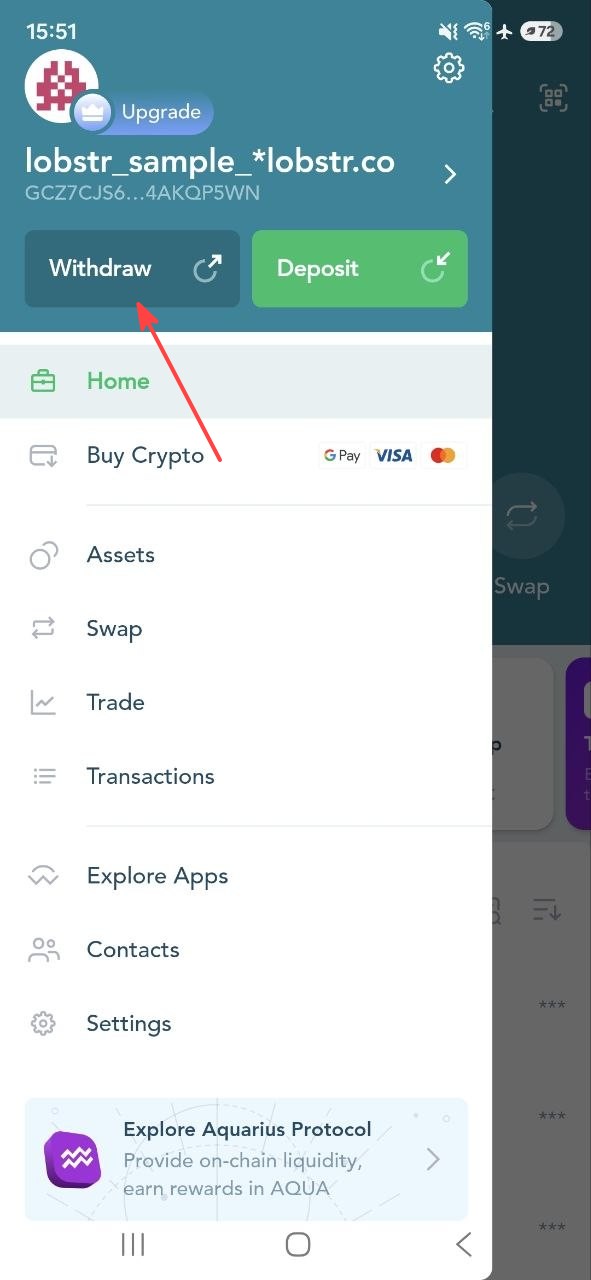
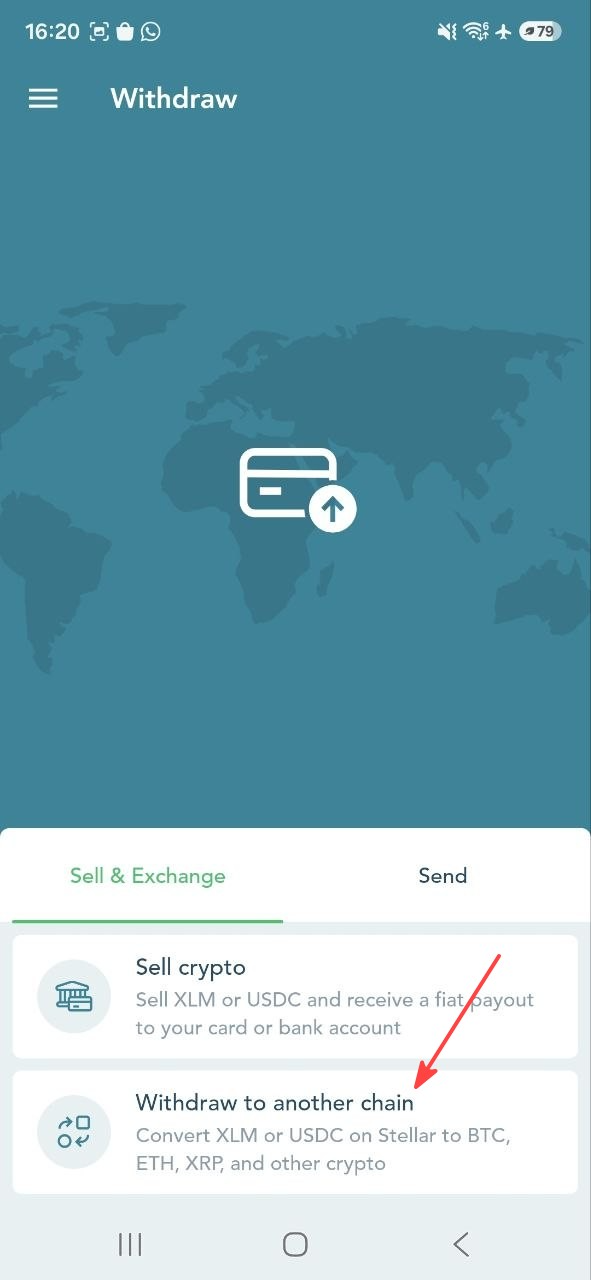
1. Tap 'Withdraw' in the side menu of LOBSTR mobile apps > select 'Sell & Exchange' > select 'Withdraw to another chain'.
 |  |
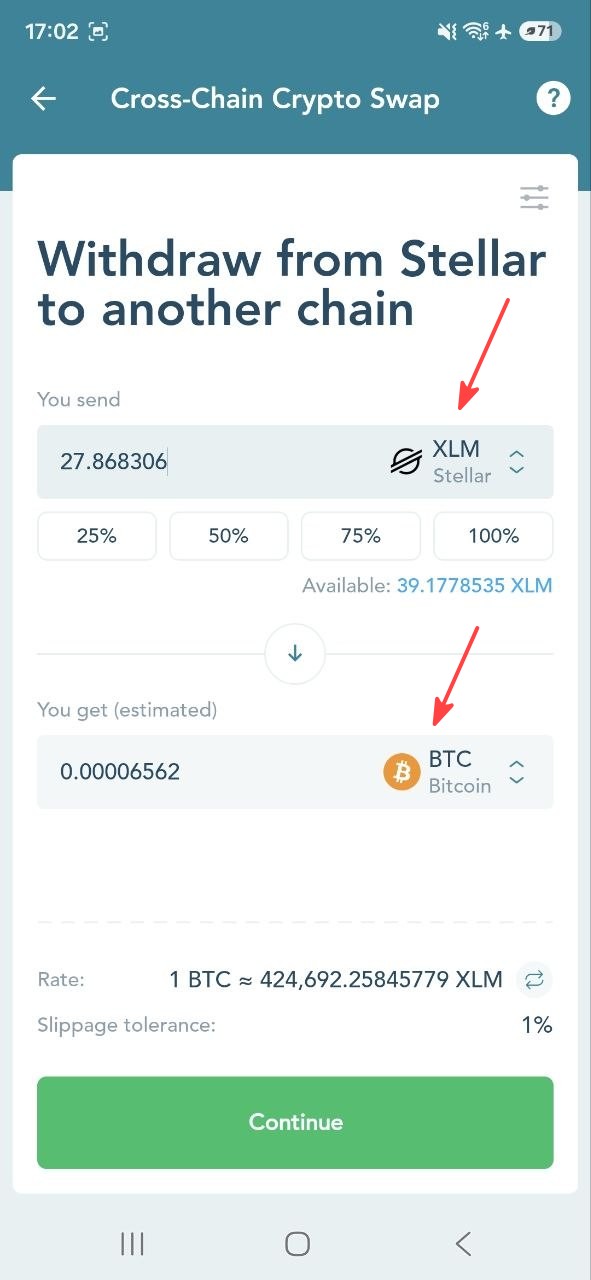
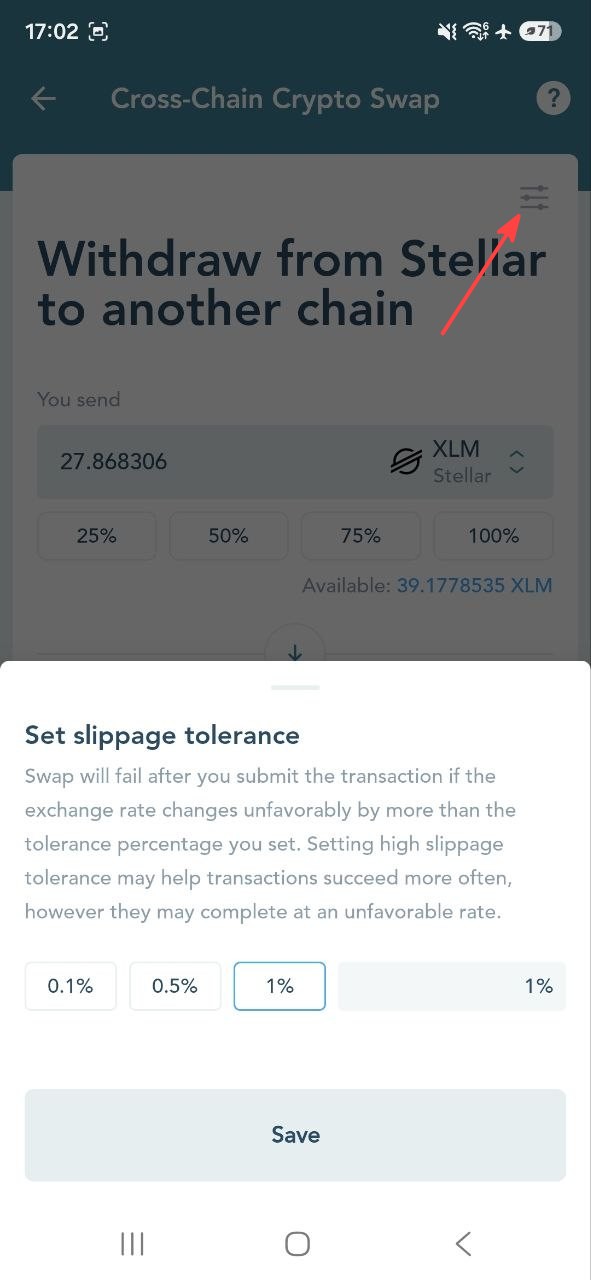
2. Select a crypto from another chain that you'd like to swap from XLM or USDC on Stellar, specify the amount, and set the preferred slippage tolerance.
 |  |
3. Enter the recipient address of your wallet from another chain. The tokens will be sent to this external wallet.
Important: It is not recommended to send funds to exchanges and ATMs (CEX often use intermediate addresses or require whitelisting), and wallets with a mandatory memo are not supported.
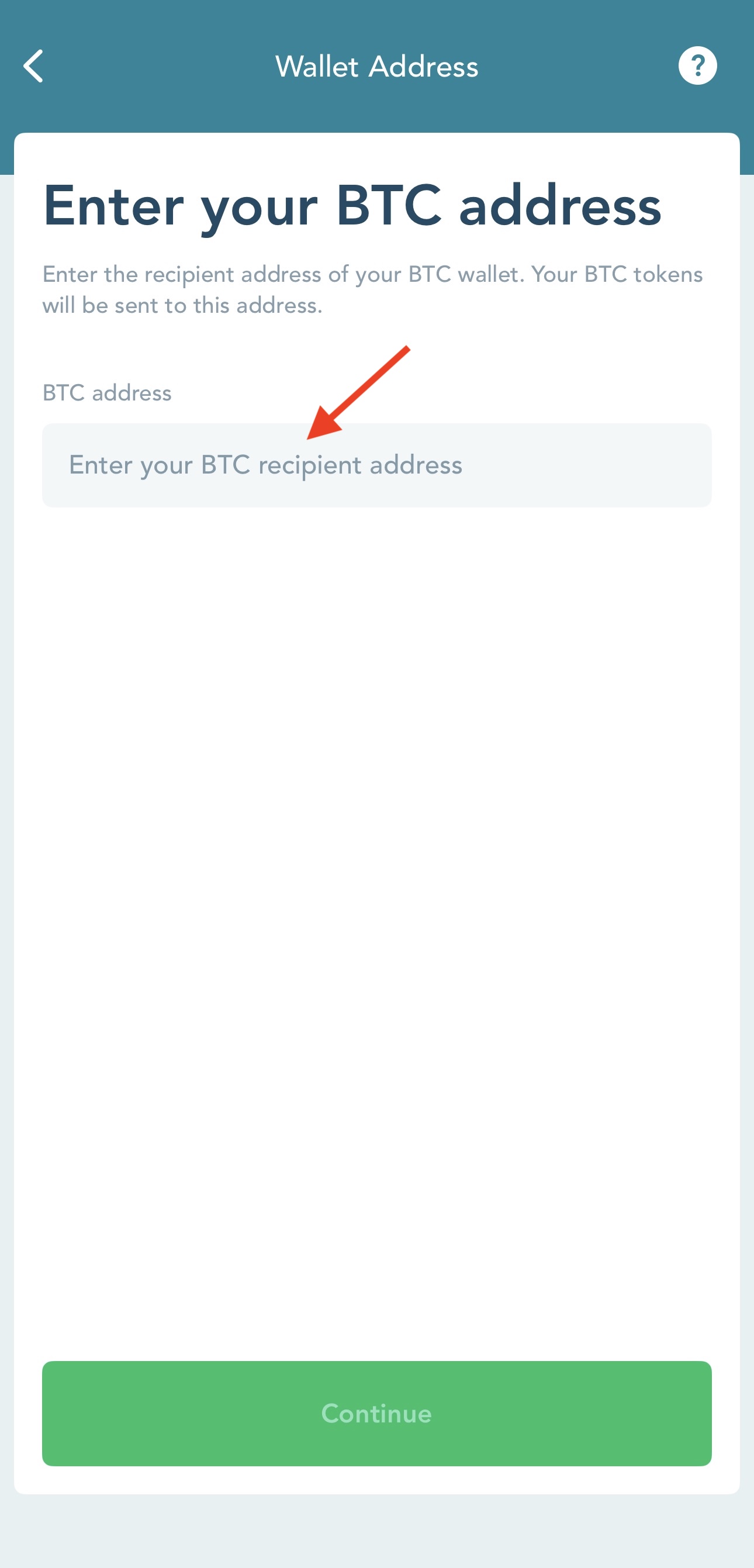
4. Check the swap preview > tap 'Confirm and Send Tokens'.
Note that the 'You get' amount is the estimated amount of crypto you will receive after all fees are applied.
The final amount of tokens you will receive can be more or less than quoted here due to market price changes and is determined by our integration partner.
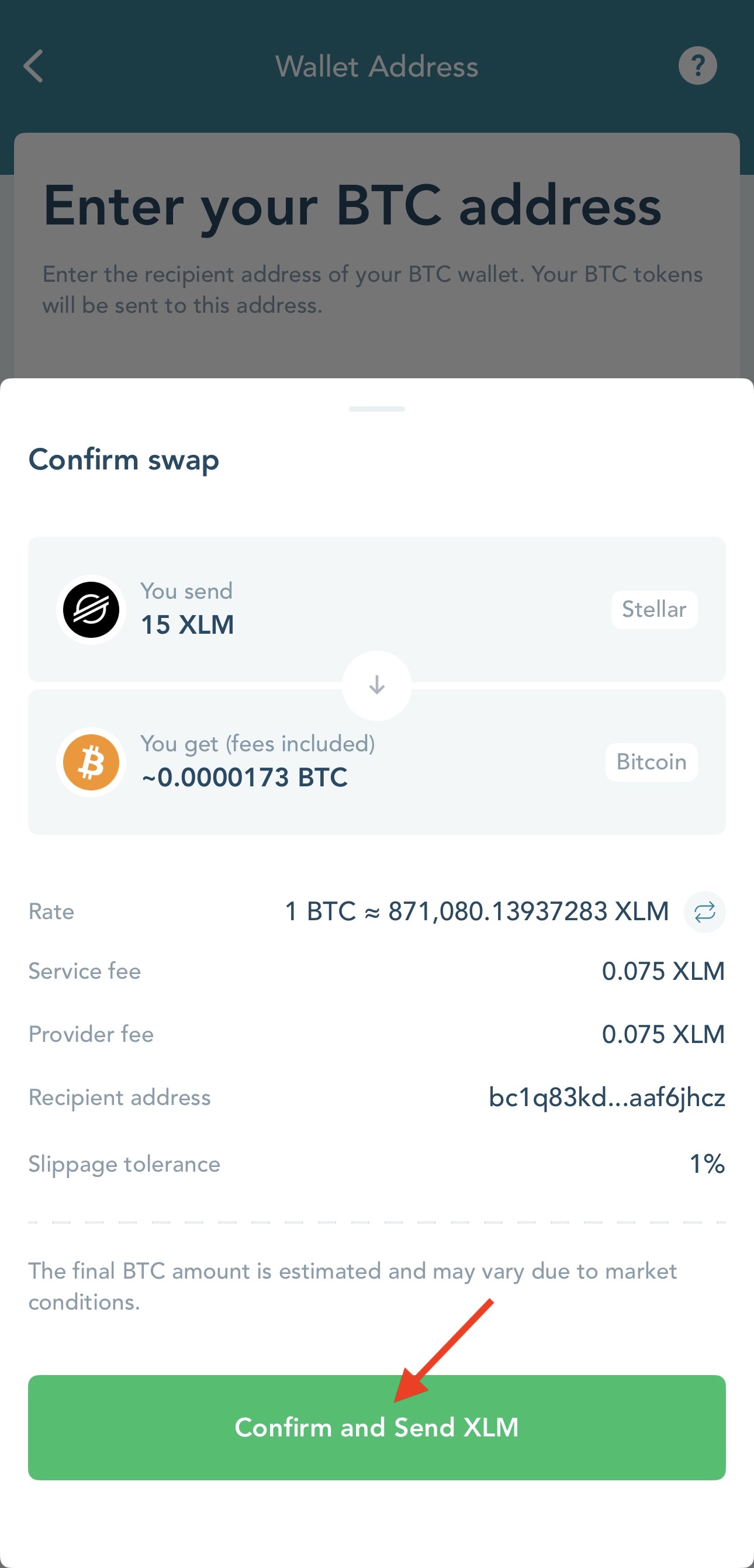
5. The Stellar tokens will be sent automatically.
Once the swap is confirmed, you'll see a confirmation screen on LOBSTR and receive a confirmation email from LOBSTR with the transaction details.
You can track the swap status by clicking on 'Check Transaction Status' on LOBSTR or at explorer.near-intents.org by specifying the Deposit address and Memo.

Transaction issues and other requests
If the transaction fails, the funds will be automatically refunded to your Stellar wallet.
If you have any issues with your transaction, please reach out to our partner at https://t.me/near_intents for further guidance.
Was this article helpful?
That’s Great!
Thank you for your feedback
Sorry! We couldn't be helpful
Thank you for your feedback
Feedback sent
We appreciate your effort and will try to fix the article