How does the ‘Cross-chain crypto swap’ work?
The 'Deposit from another chain' option on LOBSTR allows you to convert tokens like BTC, ETH, USDT, XRP, and other crypto to Stellar tokens, powered by our partnership with NEAR Intents.
100+ tokens across different chains are available for you to sell and get XLM and USDC on Stellar.
When converting tokens, you will need to send your tokens on another chain to the deposit address provided in the app within 3 hours period to complete the swap. Stellar tokens will be sent to your wallet after your payment is received and confirmed by our partner.
The final amount of tokens you will receive can be more or less than quoted due to market price changes.
If your Stellar wallet is inactive (0 XLM balance), completing the cross-chain swap to XLM will allow you to activate your wallet and use it on the network.
The fees apply to transactions submitted via the ‘Cross-chain crypto swap’. The service fees can be as high as 1% per transaction.
The network fee is set by our partner and is calculated dynamically depending on the selected pair and amounts.
How to deposit from another chain to Stellar?
Follow this tutorial to deposit crypto from another chain to Stellar:
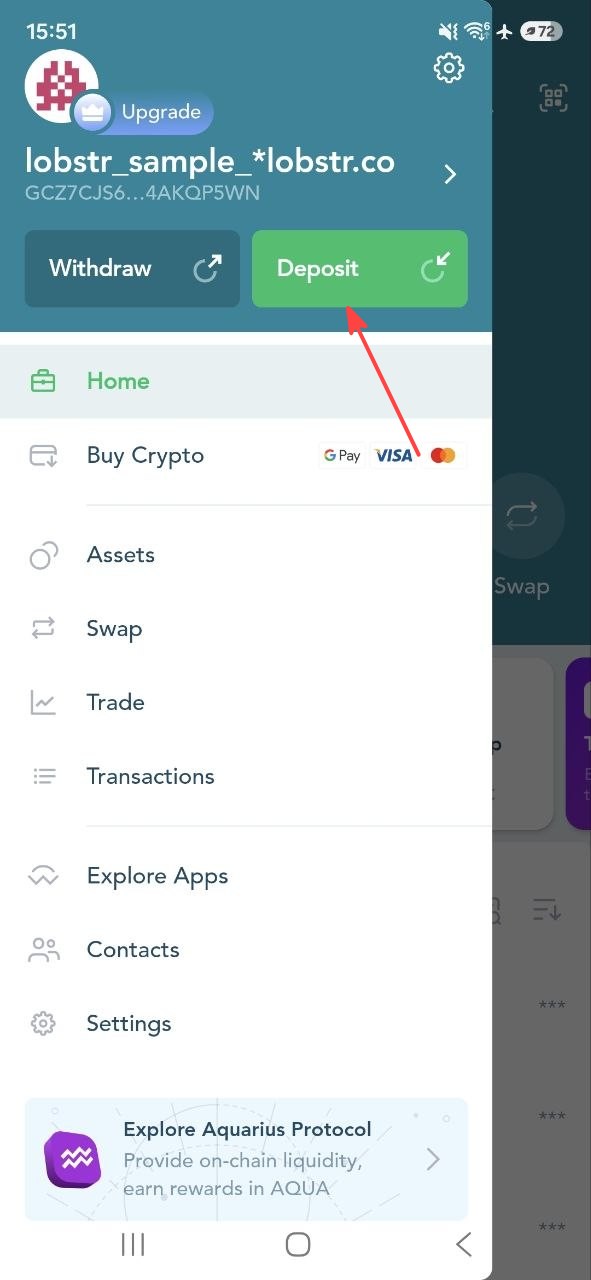
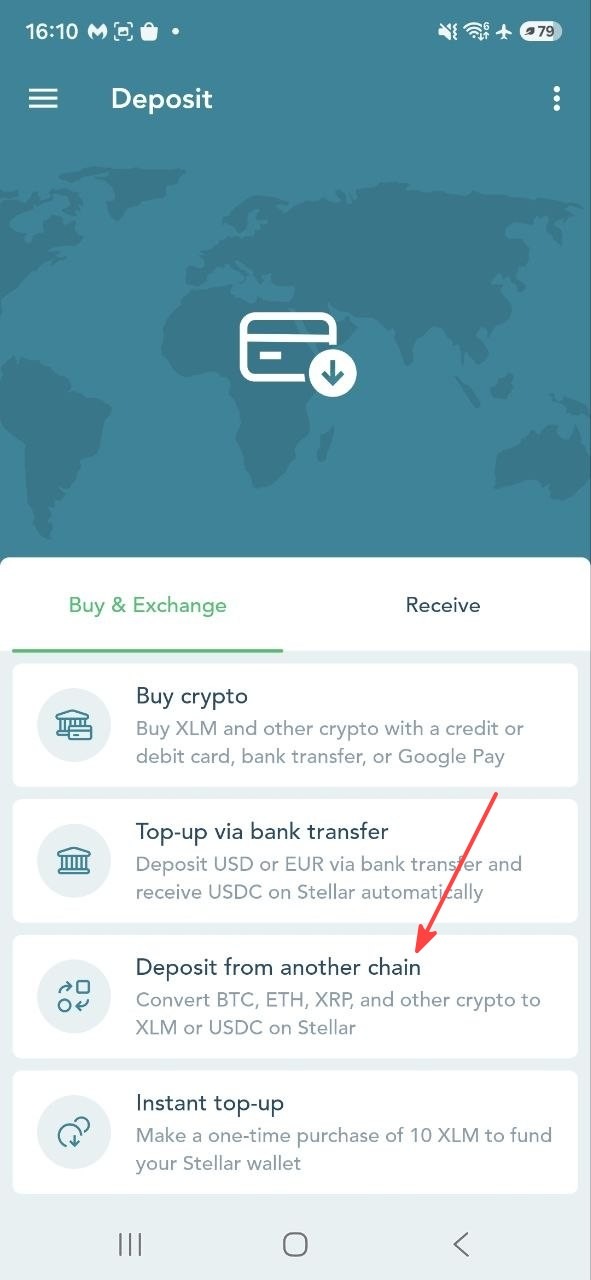
1. Tap 'Deposit' in the side menu of LOBSTR mobile apps > select 'Buy & Exchange' > select 'Deposit from another chain'.
 |  |
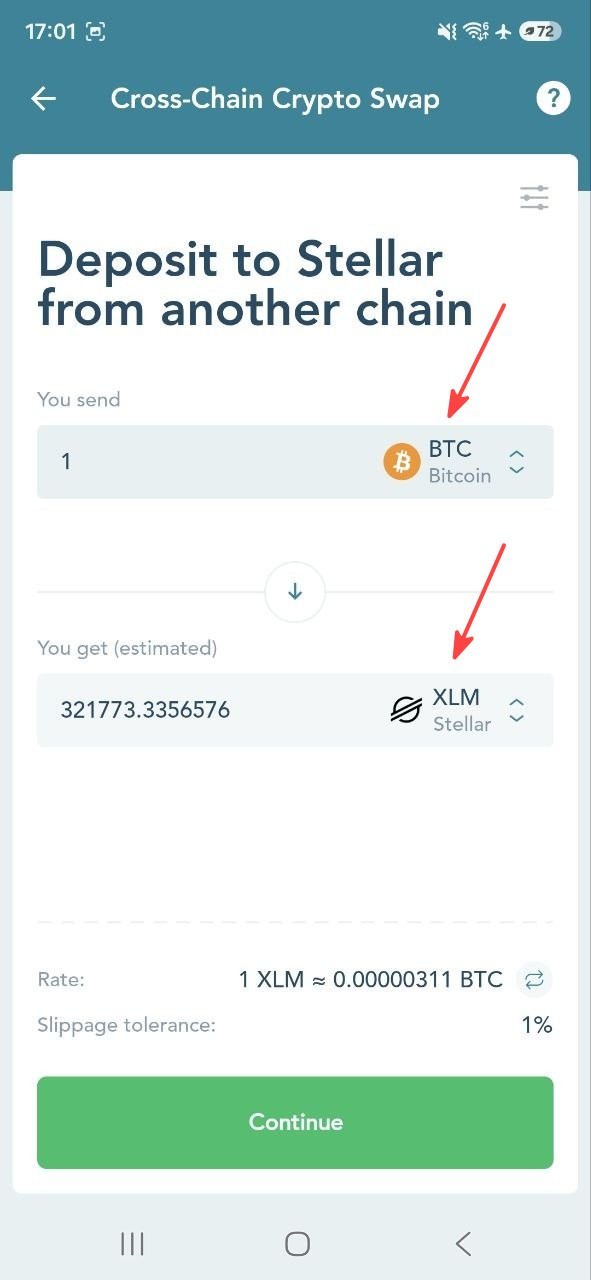
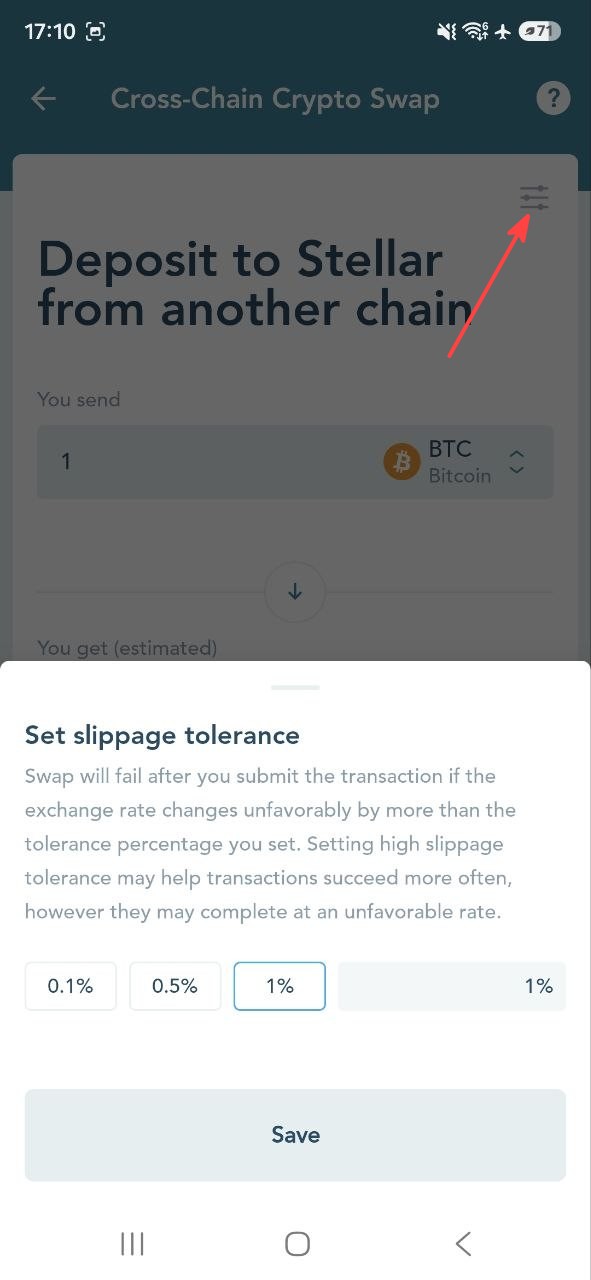
2. Select a crypto from another chain that you'd like to swap to XLM or USDC, specify the amount, and edit the preferred slippage tolerance.
 |  |
3. Enter the address of your wallet from another chain. The tokens will be refunded to this wallet if the swap fails.

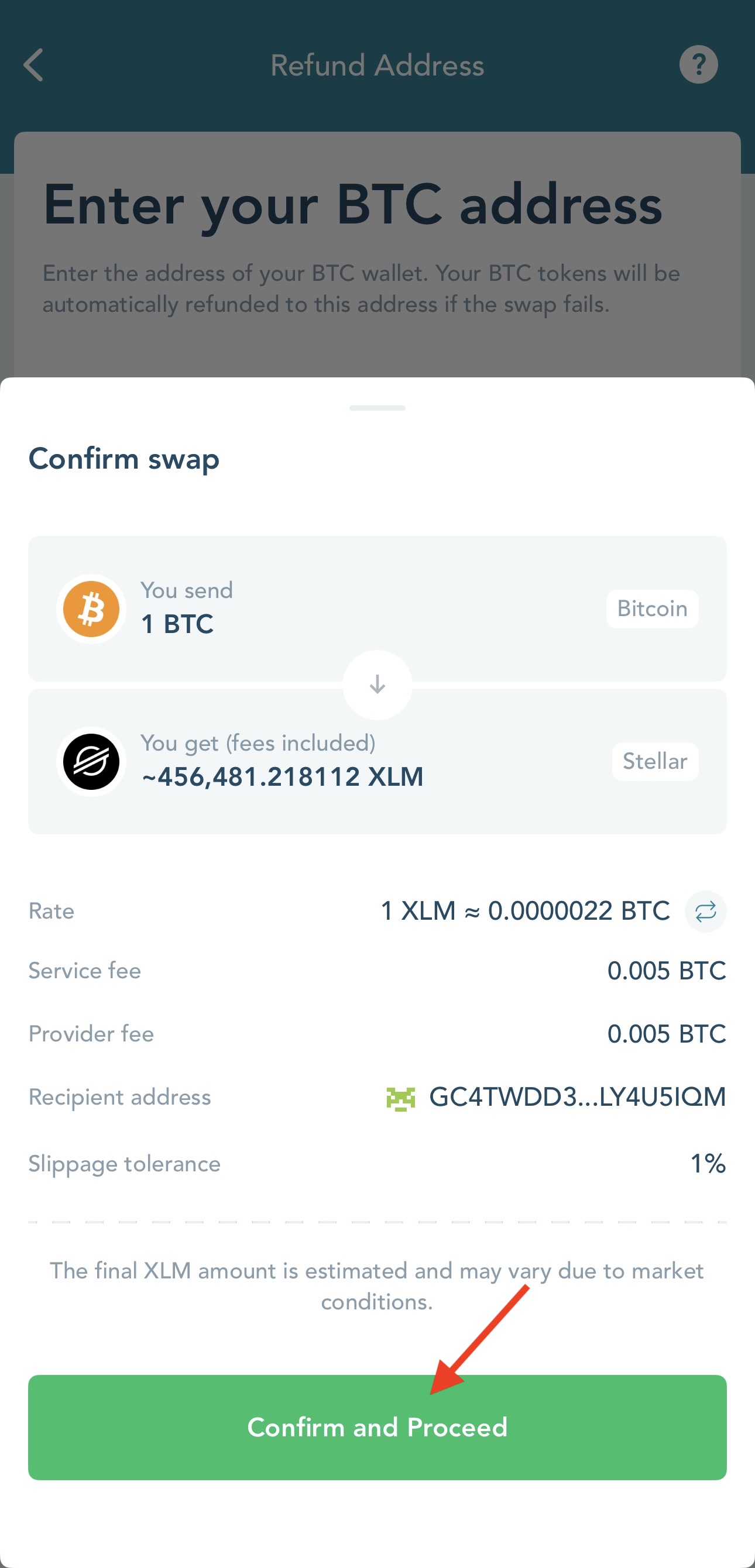
4. Check the swap preview > tap 'Confirm and Proceed';
Note that the 'You get' amount is the estimated amount of crypto you will receive after all fees are applied.
The final amount of tokens you will receive can be more or less than quoted here due to market price changes and is determined by our integration partner.
5. Follow the instructions on the 'Transaction Details' screen;
Send the amount of tokens specified on the screen to the provided Deposit address within 3 hours to start your swap transaction.
As LOBSTR only allows managing Stellar tokens, you will need to use your external wallet for this payment transaction.
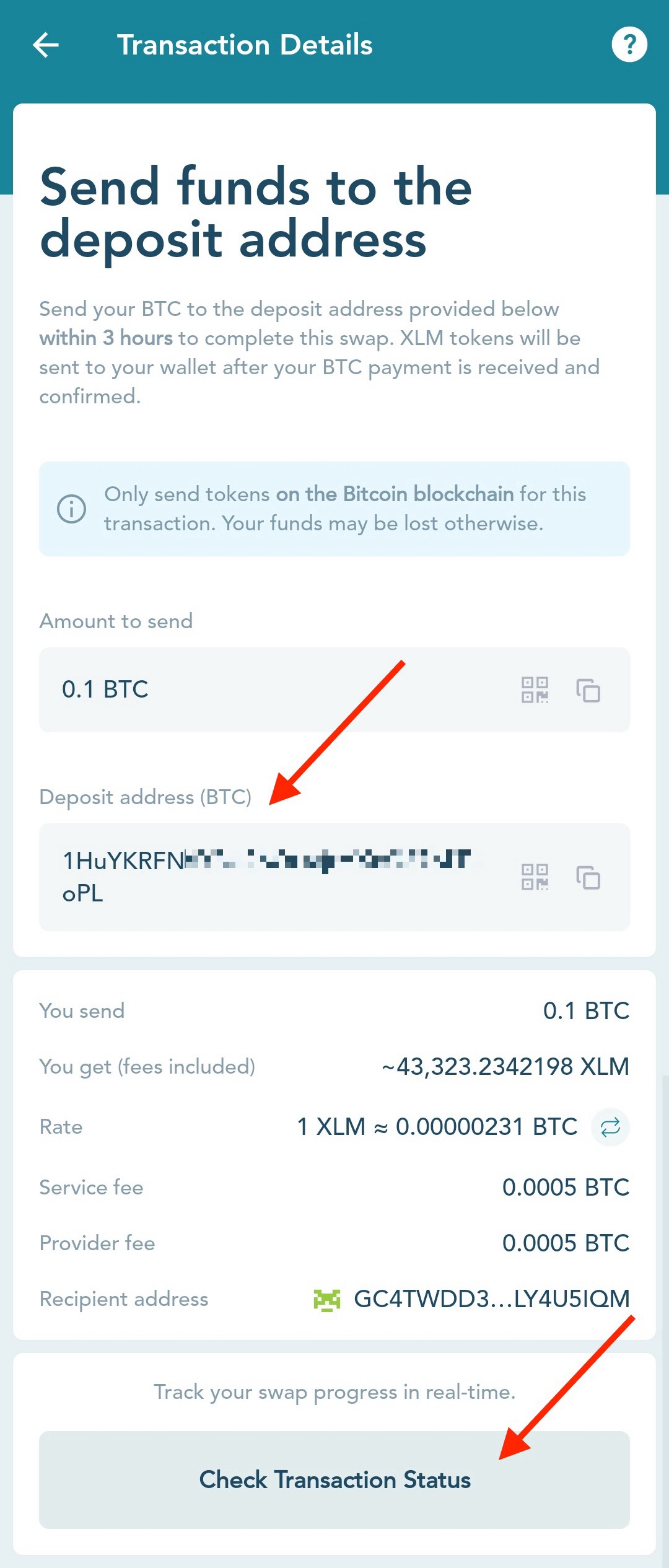
6. Once you make a payment, you can click the 'Check Transaction Status' button at the bottom of the screen or track the swap status at explorer.near-intents.org by entering the Deposit address.
Refer to this page for any future status for your swap after you send the payment transaction.
The status will be updated shortly after our partner receives your payment for the swap and will provide timely updates as the swap progresses.
If you have email or push notifications enabled, LOBSTR will notify you when you receive your Stellar tokens.
When creating the transaction, LOBSTR will also send you a 'New cross-chain swap transaction created' email with instructions and NEAR Intents transaction ID. You can check the transaction status on the partner website by tapping the 'Check Transaction Status' button in the email.
Transaction issues and other requests
If the transaction fails, the funds will be automatically refunded to the specified earlier Refund address.
If you have any issues with your transaction, please reach out to our partner at https://t.me/near_intents for further guidance.
Was this article helpful?
That’s Great!
Thank you for your feedback
Sorry! We couldn't be helpful
Thank you for your feedback
Feedback sent
We appreciate your effort and will try to fix the article